HEAP
A downloadable game for Windows
🇪🇳 Welcome to the testing facility!
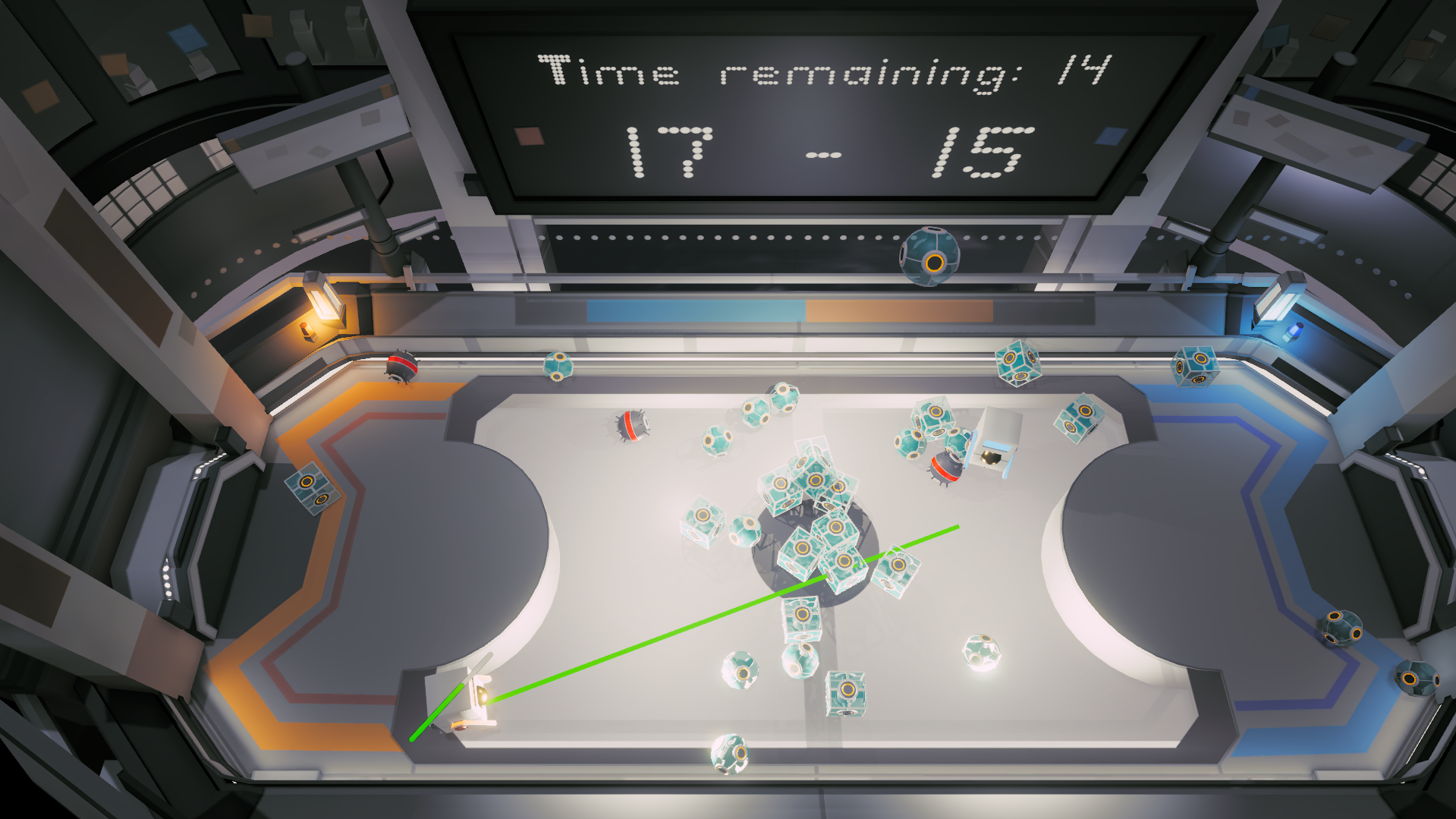
HEAP is a fast-paced versus arcade game set in a sterile military laboratory (reminiscent of Portal). Designed as a sociological and psychological experiment, the test is simple: observe how artificial intelligence handles stress, clutter, and competition.
You play as a small, selfish robot with a singular directive: make your problems someone else’s.
The arena is split into two camps. Your goal is to keep your side clean while frantically cluttering your opponent's zone. Slippery, bouncy objects fall randomly from above, piling up into a massive heap as the timer ticks down.
⚠️ Note: This is a local multiplayer game for 2 players. You strictly need 2 controllers to play.
🇫🇷 Bienvenue dans la salle de test !
HEAP est un jeu d'arcade en versus rapide qui se déroule dans un laboratoire militaire clinique (inspiré de Portal). Conçu comme une expérience sociologique et psychologique, ce test a un but unique : voir comment l'intelligence artificielle réagit à la pression et au désordre.
Vous incarnez un petit robot à la personnalité égoïste qui doit appliquer une règle d'or : repousser ses problèmes chez le voisin.
L'arène est divisée en deux camps. Votre objectif est d'évacuer un maximum d'objets de votre côté pour encombrer la zone adverse avant la fin du temps imparti. Des objets glissants et rebondissants tombent aléatoirement, s'accumulant en un tas ("heap") chaotique.
⚠️ Note : Ce jeu est en multijoueur local pour 2 joueurs. Il nécessite obligatoirement 2 manettes pour jouer.
Download
Install instructions
🇪🇳 Installation Instructions
- Download the
.zipfile from the buttons below. - Right-click the downloaded file and select "Extract All..." (do not run the game directly from inside the zip file).
- Open the extracted folder.
- Double-click
HEAP.exeto start the game.
> Note: If Windows SmartScreen prevents the game from starting, click "More Info" and then "Run Anyway."
🇫🇷 Instructions d'installation
- Téléchargez le fichier
.zipvia les boutons ci-dessous. - Faites un clic droit sur le fichier téléchargé et choisissez "Extraire tout..." (ne lancez pas le jeu directement depuis l'intérieur du fichier zip).
- Ouvrez le dossier extrait.
- Double-cliquez sur
HEAP.exepour lancer le jeu.
> Note : Si Windows SmartScreen empêche le lancement du jeu, cliquez sur "Informations complémentaires" puis sur "Exécuter quand même".
Leave a comment
Log in with itch.io to leave a comment.